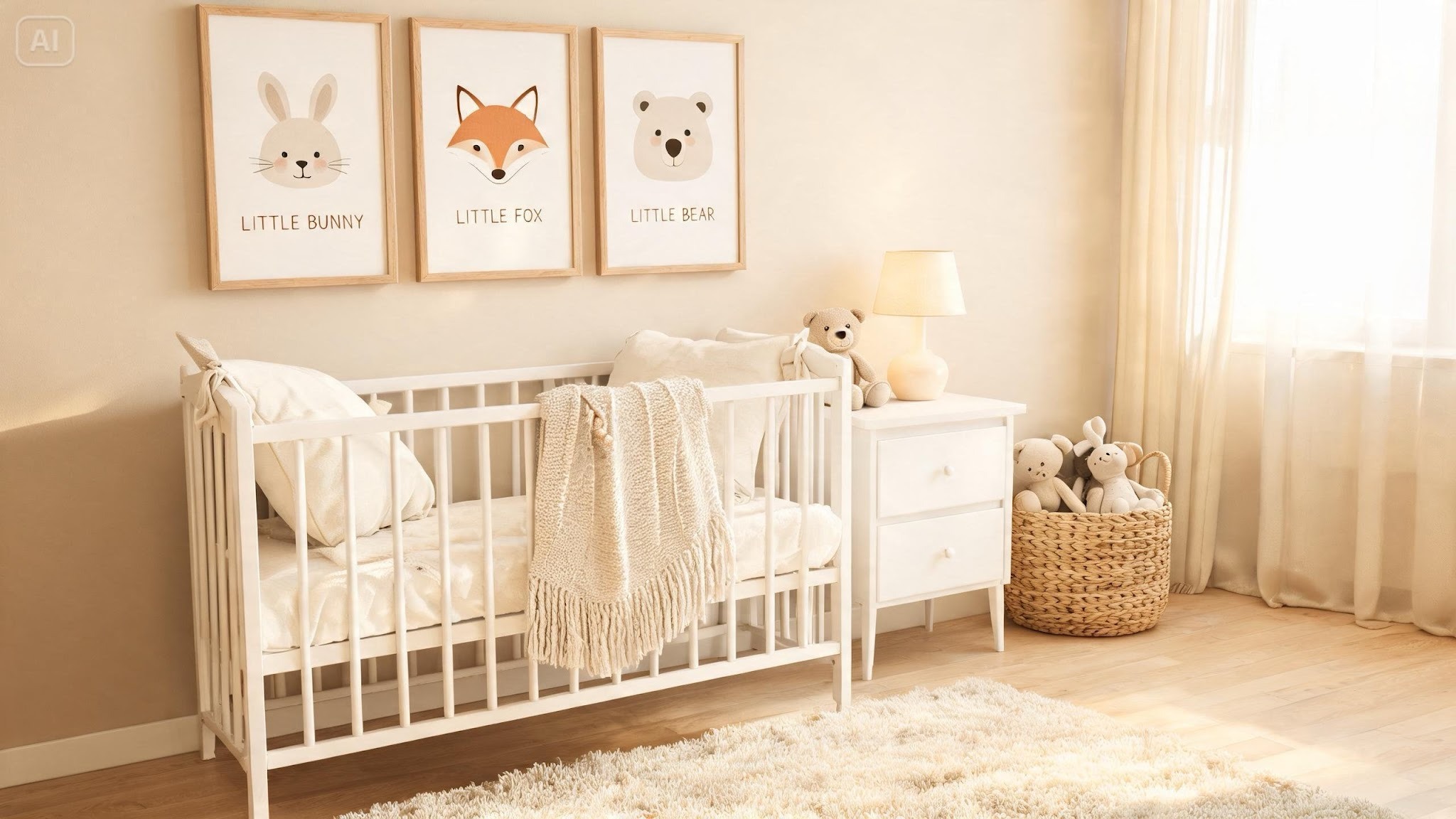
A nursery is a small room with a big job. It has to feel calm at 3 a.m., look good in photos, and still suit a toddler who’ll soon have opinions about everything. Wall art helps set that mood, but finding prints in the exact oatmeal, sand, and sage tones you’re picturing can be a hunt.
An AI picture generator like Dreamina lets you describe the artwork you want and get gentle, custom options in minutes.
This guide covers choosing a theme, writing the prompt, and finishing a set of prints that feel quiet, warm, and a little bit magical. Even a plain wall can look styled.
Why neutral tones suit little rooms
Soft neutrals make a space feel restful without turning boring. Think warm cream, oat, sand, clay, pale sage, and dusty blue-gray. They pair easily with wood furniture and natural textiles, and they won’t clash when you add a bright toy or a patterned blanket later. They also age well. A neutral print that suits a newborn can stay on the wall through the toddler years, which saves you from redecorating every time your child hits a new phase. Soft colors are also easier on tired eyes during night feeds. Think of them as the background music of a room.
Pick a theme that grows with the child
Choose a subject that won’t feel babyish in two years:
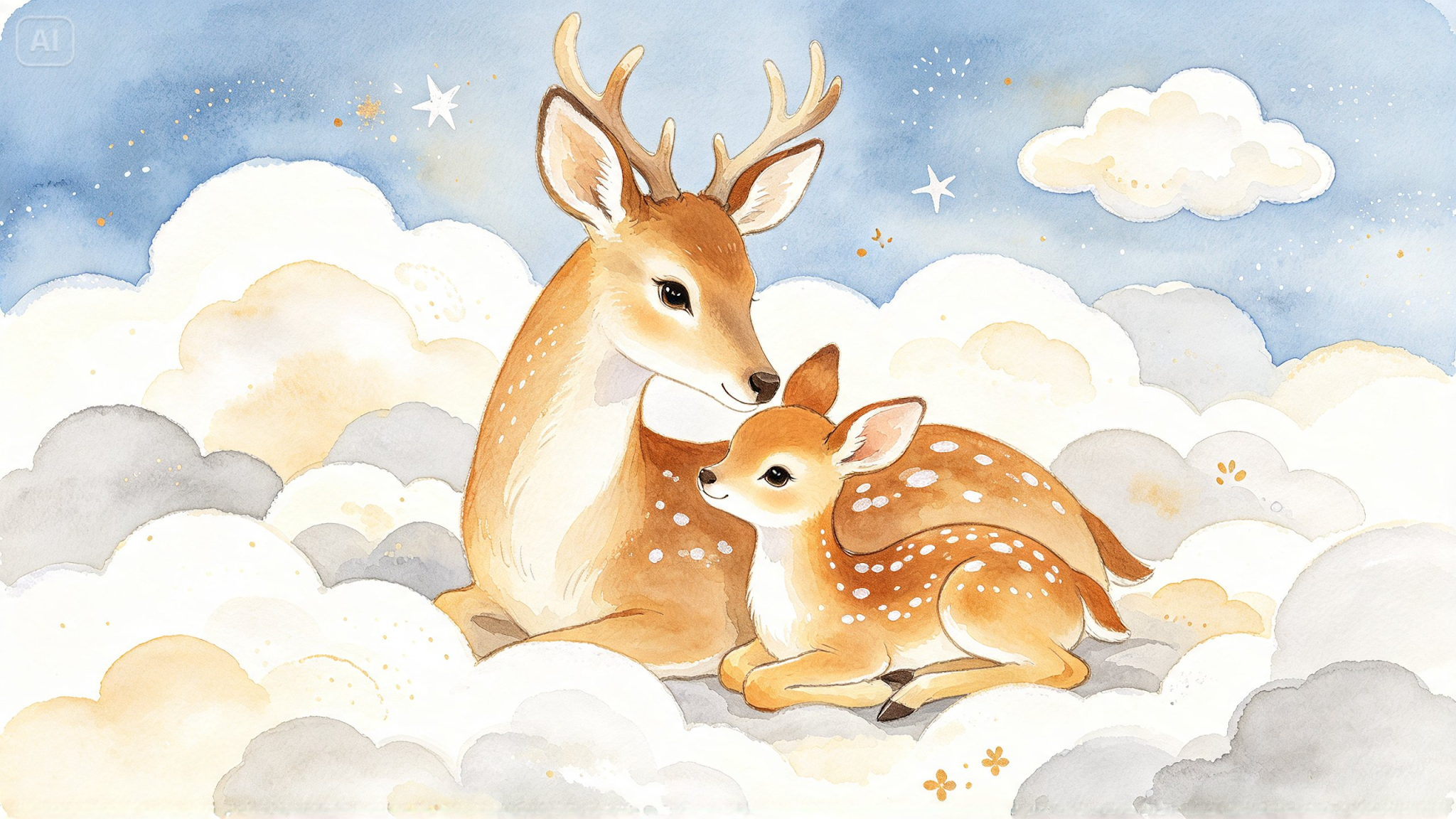
- Woodland animals: foxes, deer, and owls in muted tones
- Moon and stars: quiet night skies with soft gold accents
- Hot air balloons: floating shapes over gentle hills
- Botanical line art: leaves and wildflowers in earthy shades
- Simple rainbows: arches in sand, terracotta, and sage
One theme repeated in a few prints looks more intentional than a mix.
Create a nursery print with three easy Dreamina steps
Step 1: Create a text prompt
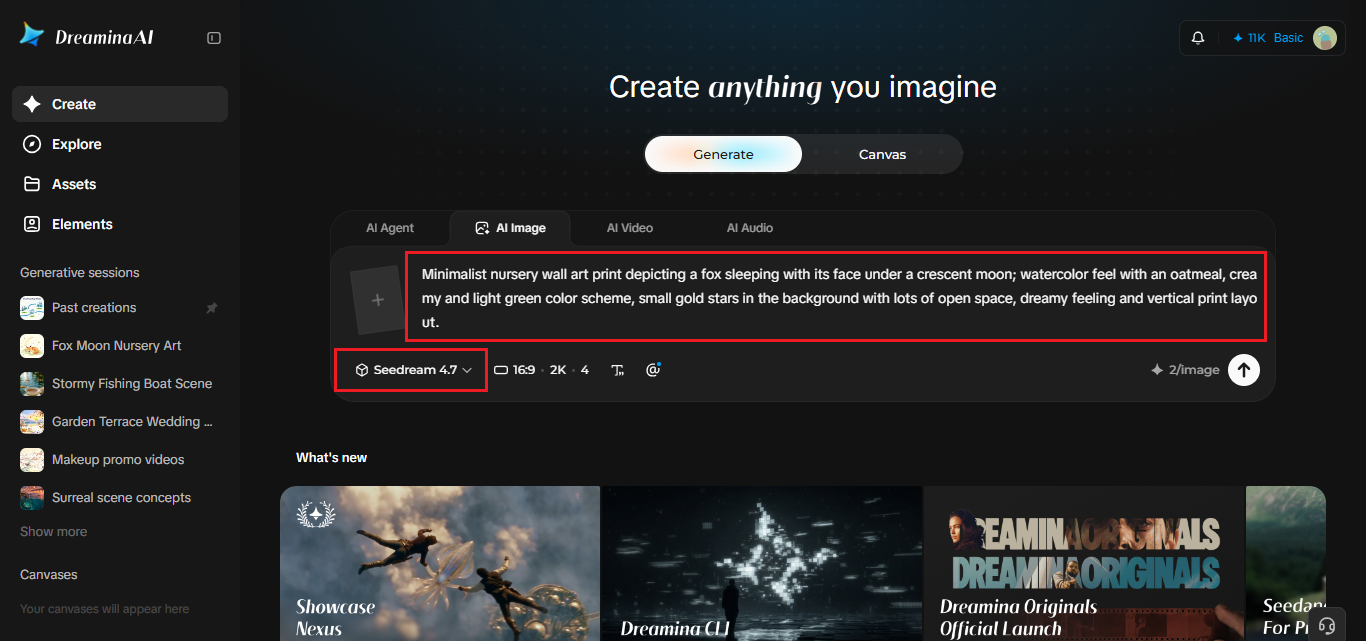
Head over to Dreamina and create your text prompt for the image by giving as much detail as possible on the subject, the style, and the colors you want to use.
For example: Minimalist nursery wall art print depicting a fox sleeping with its face under a crescent moon; watercolor feel with an oatmeal, creamy and light green color scheme, small gold stars in the background with lots of open space, dreamy feeling and vertical print layout.
Step 2: Adjust parameters and generate
Choose your model, pick an aspect ratio (vertical suits most frames), set the size, and select 1K or 2K resolution. Then click Dreamina’s icon to generate. Pick 2K for anything you’ll print, since soft watercolor edges look best with plenty of detail. A vertical frame also keeps the composition calm and symmetrical.
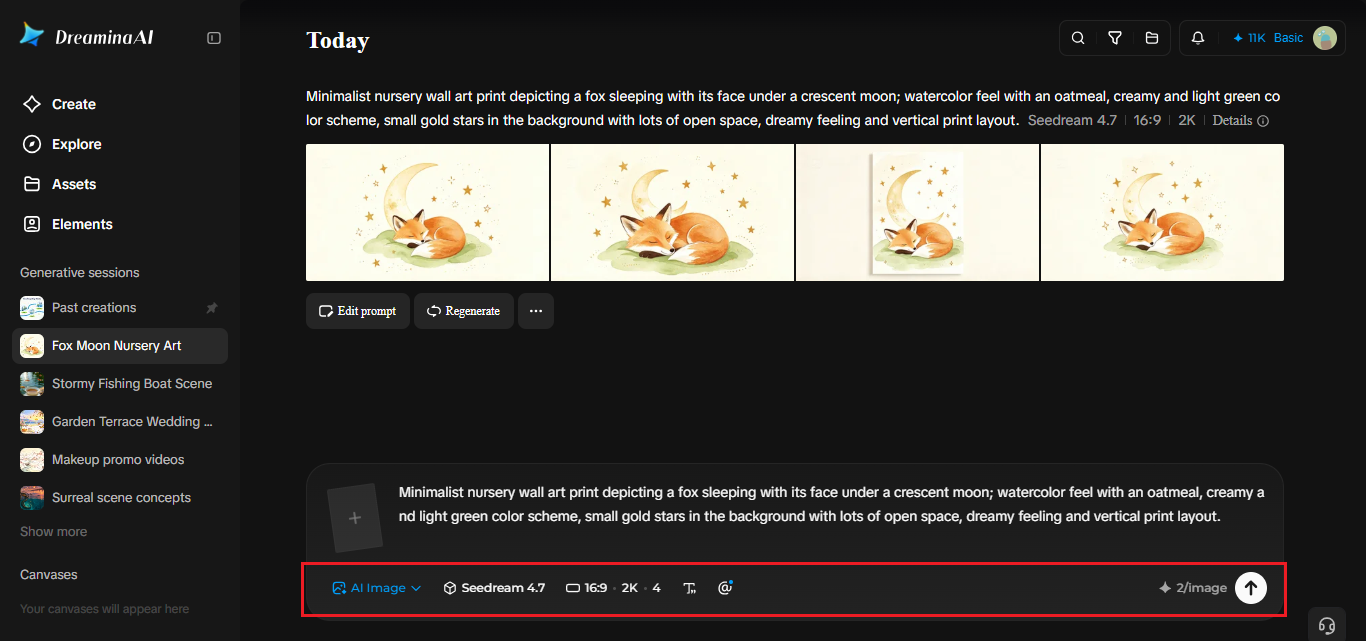
Step 3: Customize and download
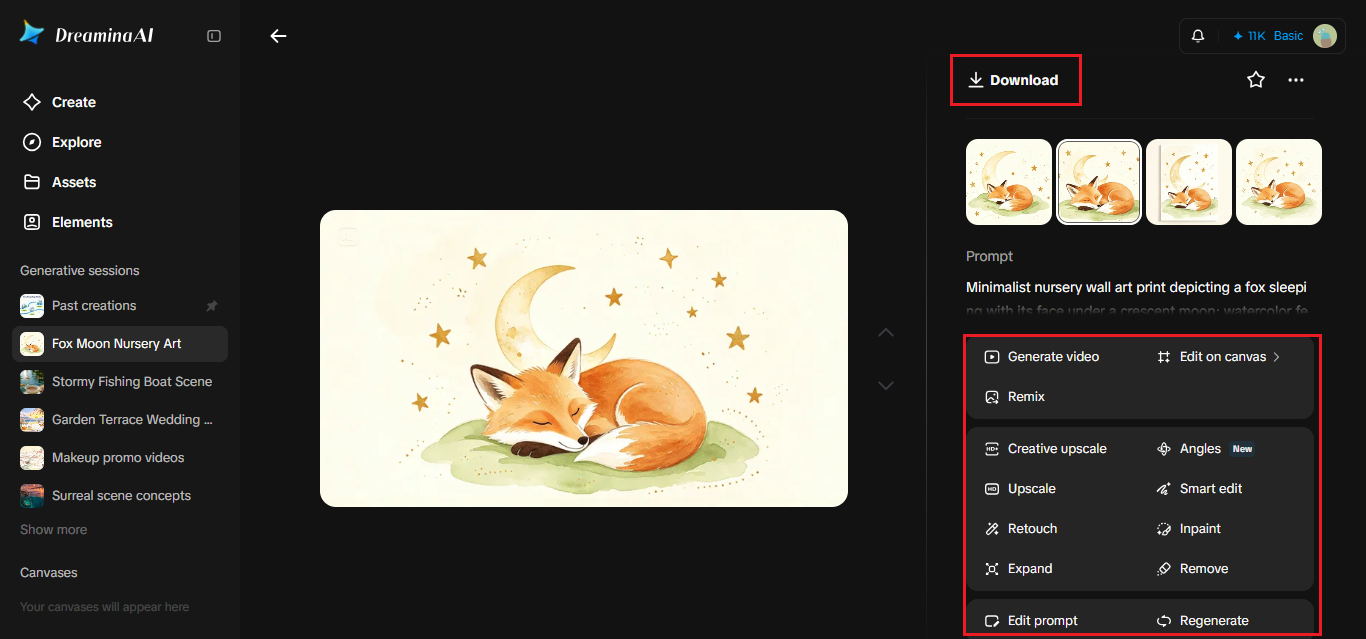
Use Dreamina’s AI customization options to refine the print. Inpaint fixes a small area, expand adds breathing room around the artwork, remove clears out stray marks, and retouch smooths rough textures. When it’s right, click the Download icon to save your print. Light touch-ups beat heavy edits when you want a gentle look.
Writing soft palettes into your prompt
Color words matter more than you’d expect. Instead of “neutral,” name the shades: oatmeal, warm cream, sand, clay, pale sage, dusty blue-gray. Mention the finish too, like watercolor wash, paper grain, or matte pencil. Ask for “low contrast” and “muted tones” to keep the image soothing, and add “plenty of empty space” so the print doesn’t feel crowded. If a result looks too bright, say “desaturated” and generate again. Keep a short list of your favorite color words so every print matches.
Building a gallery wall of three
A set looks more polished than a single print. Use the same style words and palette across all three, but change the subject: a fox, a moon, a balloon. Vary the compositions slightly, with one tall, one square, and one wide. Keep the white space generous so the wall doesn’t feel busy. Hanging them at slightly different heights can look charming, as long as the spacing between frames stays consistent. If you’re unsure, lay printed sheets on the floor first and rearrange them.
What Seedream 5.0 Pro brings to gentle prints
Calm artwork depends on subtle gradients and clean edges, and Seedream 5.0 Pro helps in a few ways.
Fine control over small areas
Point selection, lasso, and sketch guidance let you adjust one star or one ear without touching the rest of the print. It’s great for nudging one tiny detail.
Crisp 2K output
Higher resolution keeps soft textures smooth and avoids muddy edges when you print large. That matters for large prints above a dresser.
Layered visual elements
Separate layers for subjects and backgrounds make it simple to try a new backdrop color behind the same animal. That’s handy if you repaint the room later.
Print size and safe hanging
Download at 2K and print at a standard frame size like 8×10 or 11×14. Test one print before ordering a full set, since colors can shift from screen to paper. Safety matters in a nursery. Hang frames well out of reach of the crib, use secure hardware, and choose lightweight frames with shatter-resistant covers. Soft prints on a high wall do the job beautifully without any risk. Add a small lamp with a warm bulb nearby so the art glows softly at night.
A room that feels like a hush
Cozy nursery art doesn’t need to be complicated. A soft palette, a simple subject, and a little empty space are often all it takes. Dreamina and Seedream 5.0 Pro make it easy to design prints that match your room and your taste. Pick a theme, write your prompt, and see which version feels calm. Your little one will grow up under a wall you designed yourself. Share your favorite with grandparents. They’ll ask for copies.